
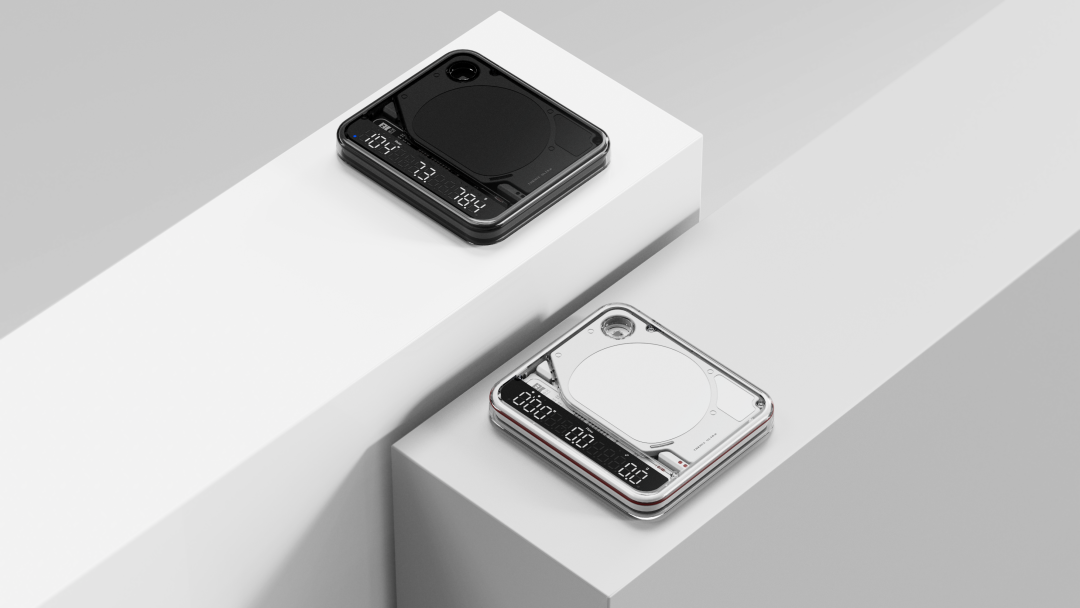
BOOKOO N v3.8.1 and THEMIS ULTRA firmware v4.0.0 are now available. This update changes how you use Auto on the scale: it has moved from a separate mode into Flow and Ratio, where you can switch it on or off as needed.
We've added a Ready step so you can finish weighing and setting up before Auto takes over, along with three Auto stop conditions and Mirror Mode in BOOKOO N. There are also smaller changes to everyday controls and device settings.
Why we changed Auto
People use automatic timing differently. With espresso, you might want the timer to stop when the machine stops dispensing, or you might prefer to end the shot when you remove the cup. With pour-over, some people leave the dripper in place until the brew is finished; others lift or move it along the way.
Adding a separate mode for every variation would make the scale harder to use. We wanted to keep the familiar modes and let you adjust Auto to the way you already brew.
Before you update
Update BOOKOO N first, then read the v4.0.0 update notes on the Ultra device page before deciding whether to install the firmware.
Version 4.0.0 requires you to enter Ready manually before each Auto brew. If you're used to the previous Auto mode, especially for back-to-back espresso service, take a moment to consider how this extra step will fit into your routine.

Using the new Auto controls
THEMIS ULTRA now has three main modes: Weight, Flow, and Ratio. Auto is an optional function within Flow and Ratio. In either mode, tap the right button three times to switch Auto on or off. The Auto icon on the display shows when it's on.
Flow and Ratio each remember their own Auto setting and stop condition. You could use Flow with Auto and Flow Reaches 0 for espresso, then switch to Ratio with Auto and Platform Cleared for pour-over. The scale keeps both sets of settings, so you don't have to set them up again each time you switch.
Those are examples, though. You can use either mode for espresso or pour-over, depending on which information and controls you want.
Finish your prep, then enter Ready
You can leave Auto on while you weigh beans or grounds, place your equipment, tare manually, or adjust your setup. The scale waits until you enter Ready before starting the automatic brewing sequence.
In Ratio mode, double-tap the left button to save the coffee dose before brewing. The scale stores that dose and uses it to calculate the brew ratio in real time. If you change the dose, double-tap again to replace the saved value.
Once you've finished preparing, tap the left button once to enter Ready.

Automatic tare, with a choice of how to start
Place your cup, server, or complete brewing setup on the scale, then enter Ready. THEMIS ULTRA will tare automatically.
The timer starts when the scale detects flow. If you want to choose the starting point yourself, tap the left button again while in Ready to start it manually.

Choose when Auto stops
There are three stop conditions: Flow Reaches 0, Platform Cleared, and Dripper Removed. You can set a different one for Flow and Ratio in BOOKOO N. Choose according to what you do at the end of a brew; the settings aren't restricted to a particular machine or brewing method.
For espresso
Flow Reaches 0 stops the timer when liquid stops flowing. It's the default in Flow mode and a straightforward choice for espresso with continuous flow.
Place your cup on the scale and enter Ready. The timer starts when flow begins and stops when flow stops. The final display shows time, average flow rate, and total weight.
If you prefer to decide when the shot is finished by removing the cup, choose Platform Cleared. With this setting, changes in flow don't end the timer. It keeps running until you remove the cup or brewing setup from the scale.
For pour-over when the dripper stays in place
If you leave the dripper on the server throughout the brew and remove it after drawdown, we recommend Ratio with Auto and Dripper Removed. This is the default stop condition in Ratio mode.
Double-tap the left button to save your coffee dose for the live ratio calculation. Place the dripper and server on the scale, then enter Ready to tare automatically.

The first pour starts the timer. Once drawdown is complete, remove the dripper to stop it. The display shows brew time, ratio, and total weight, and you don't need to press a button to finish the brew.
For pour-over when you move the dripper
If you lift, swirl, or move the dripper during brewing, choose Platform Cleared. Lifting the dripper alone won't stop the timer; it runs until you remove both the dripper and server from the scale.
You can also use this setting if you simply prefer to clear the whole setup before ending the brew.

If those defaults fit your routine, you can start brewing without changing the stop conditions.
Reading the result and starting the next brew
Lifting a cup, server, or dripper can disturb the scale just as the brew ends. To reduce the effect on the final result, THEMIS ULTRA calculates it using stable data from before that movement.
With Auto on, Flow shows time, average flow rate, and total weight. Ratio shows time, ratio, and total weight.
Tap either button to clear the result and return to the current Auto state. When you're ready to brew again, tap the left button to enter Ready.
You can still start or stop manually
You don't have to turn Auto off to handle a brew differently. Tap the left button while in Ready to start the timer yourself, or tap either button during brewing to stop it.
See the scale on your phone with Mirror Mode
Mirror Mode in BOOKOO N v3.8.1 lets a connected phone or tablet show the scale's live data: mode, time, weight, flow rate, ratio, and Auto status. You can also control THEMIS ULTRA from the app.
If you only want an external display, you can disable the app controls and keep the live view. There's also a setting to open Mirror Mode automatically whenever THEMIS ULTRA connects.

This feature started with a familiar pour-over problem. THEMIS ULTRA is wide enough for both dual-cup espresso setups and pour-over brewers, but some servers partly block its display. With Mirror Mode, you can put your phone or tablet in front of you and read the data without leaning around the brewer or rearranging your setup.
It can help when someone else needs to see the data, too. In a café, you can show it to customers across the bar. A brewer and instructor can follow the same readings during training, and competitions or demonstrations can use a larger screen.
Other changes in this update
Faster response
We've adjusted several interactions to make mode switching and everyday controls feel faster and smoother.
Less waiting for tare
Tare now has a timeout. If the platform stays unstable for more than two seconds, for example while water is still moving, the scale uses the value closest to zero. This reduces delays caused by waiting indefinitely for a perfectly stable reading.
An audible warning above 2 kg
THEMIS ULTRA's maximum capacity is 2 kg. If the load exceeds that, the scale now sounds a warning to help you notice prolonged overload or accidental pressure on the weighing system.
Clearer button and power-off feedback
Press either button and the indicator on the opposite side lights up to confirm the input. We've also added a power-off sound. At shutdown, the battery level appears as a battery icon and stays visible longer, giving you more time to check it.
Enter your dose in BOOKOO N
You can now enter the coffee dose directly in BOOKOO N, as well as saving it with a double-tap of the left button in Ratio mode. The app and scale both use the most recently saved value, so you can use whichever method is more convenient.

Shortcut guides for your installed firmware
Some button shortcuts have changed in v4.0.0. BOOKOO N now shows the guide for the firmware installed on your THEMIS ULTRA. If you need to check a button command, the Ready sequence, or an Auto setting, you'll find the matching instructions on the device page.

How to update to v4.0.0
Start by updating BOOKOO N and reading the Ultra update notes. The new Ready step may not suit every routine, particularly if you've used the old Auto mode for a long time or make espresso continuously. You can stay on your current firmware if you don't need the new features.
If you decide to update:
- Update BOOKOO N to v3.8.1 or later.
- Turn on Bluetooth and connect your THEMIS ULTRA in BOOKOO N.
- Open THEMIS ULTRA Device Details → OTA Update and follow the on-screen instructions to install v4.0.0.
Keep your phone connected to the scale via Bluetooth throughout the update. Leave BOOKOO N in the foreground, and don't lock your phone or switch to another app. If the firmware download fails, try again using mobile data.
We spent a lot of time on this update thinking about when the scale should take over. You should be able to finish weighing and setting up before automatic tare and timing begin, then end the brew in a way that suits you. Ready and the separate Auto settings in Flow and Ratio give you that choice without adding more modes to remember.
Share:
Once the Beans Reach the Burrs: How We Designed the BOOKOO Motto80 Drive System